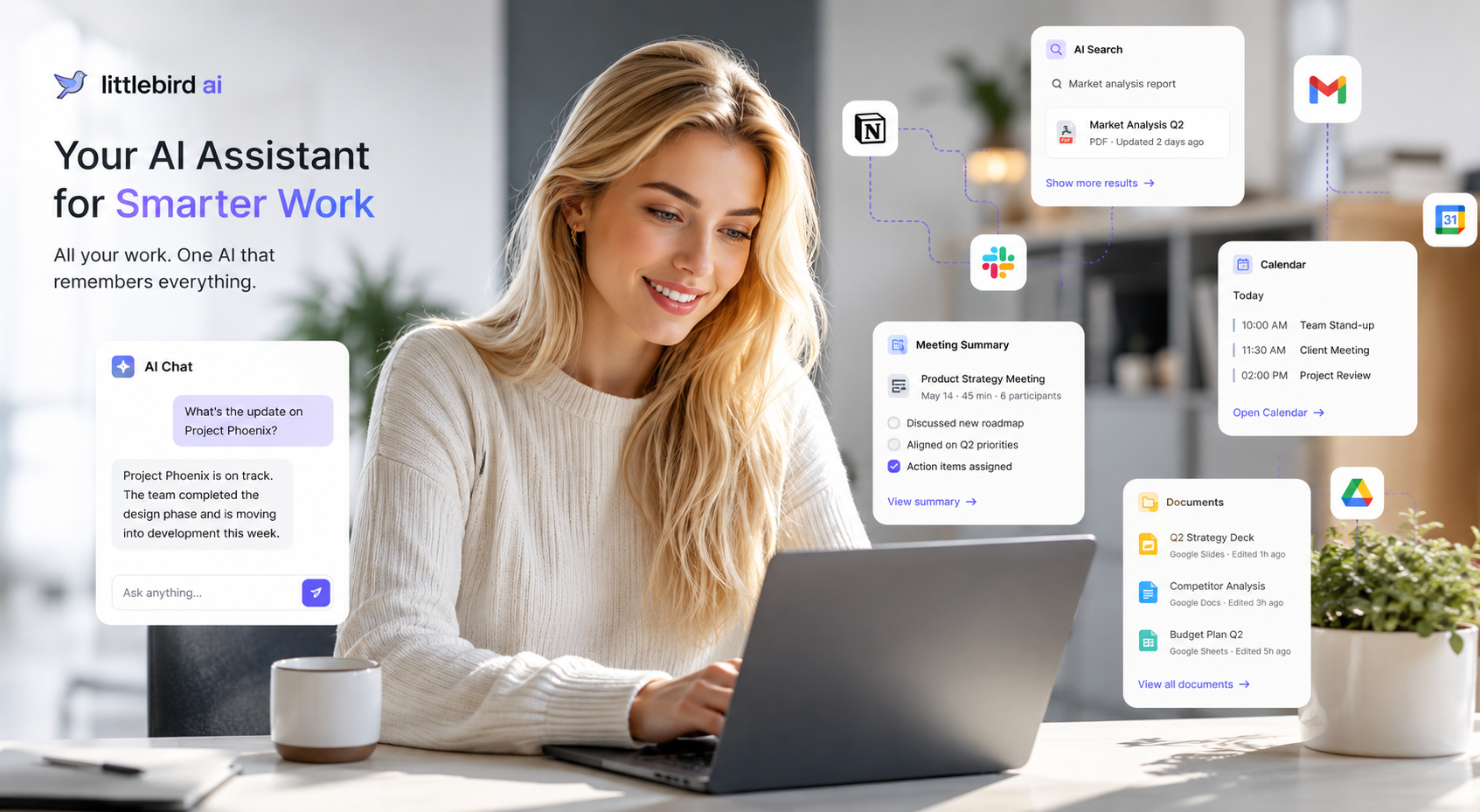
Artificial intelligence has evolved far beyond simple chatbots. Today, users expect an AI assistant that not only answers questions but also understands their workflow, remembers important information, and helps them work more efficiently. That's exactly where Littlebird AI stands out.
Unlike traditional AI chatbots that rely solely on prompts, Littlebird AI is designed to become your intelligent work companion by remembering context across your emails, documents, meetings, and daily tasks. If you're wondering whether it's worth trying, this review will help you decide.
1. What Is Littlebird AI?
Littlebird AI is an AI productivity assistant built to organize your digital workspace and provide personalized assistance based on your work history.
Instead of asking you to repeatedly explain your projects, Littlebird AI can understand your context by connecting with the tools you already use every day.
Whether you're writing emails, preparing reports, searching for previous conversations, or summarizing meetings, Littlebird AI aims to save time by acting as your second brain.
Who Should Use Littlebird AI?
Littlebird AI is ideal for:
- Business owners
- Marketing professionals
- Content creators
- Sales teams
- Developers
- Consultants
- Students
- Researchers
- Freelancers
- Remote workers
If your daily work involves switching between multiple apps and searching for information repeatedly, Littlebird AI can significantly improve your productivity.
2. Key Features of Littlebird AI
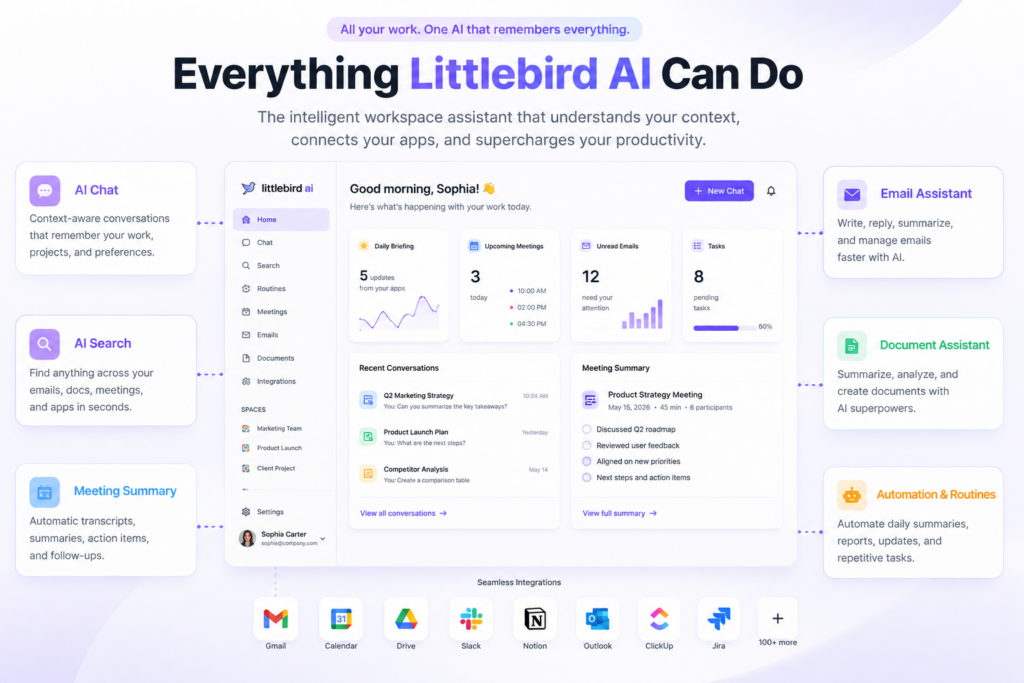
AI Chat with Long-Term Context
Unlike standard AI chatbots, Littlebird AI remembers your previous work and conversations, allowing it to provide more relevant and personalized responses.
Instead of starting every conversation from scratch, the AI understands what you're working on.
AI Search Across Your Workspace
Searching for old emails or documents can waste hours every week.
Littlebird AI allows you to search across:
- Emails
- Documents
- Meeting notes
- Calendar events
- Connected applications
This makes finding information much faster than manually browsing multiple platforms.
Meeting Notes & AI Summaries
Littlebird AI can automatically organize meeting information by:
- Generating summaries
- Extracting action items
- Listing decisions made
- Creating follow-up tasks
This feature is especially useful for teams that attend frequent online meetings.
Smart Writing Assistant
Littlebird AI helps create:
- Emails
- Reports
- Blog posts
- Business proposals
- Meeting agendas
- Documentation
Because it understands your existing work, the generated content often requires less editing than traditional AI-generated text.
Workflow Automation
Littlebird AI can automate repetitive tasks such as:
- Daily summaries
- Weekly reports
- Project updates
- Morning briefings
- Meeting preparation
This reduces manual work and keeps your team organized.
Integration with Popular Apps
Littlebird AI connects with many productivity tools, including:
- Gmail
- Google Calendar
- Google Drive
- Slack
- Notion
- Outlook
- Jira
- Confluence
- ClickUp
These integrations allow the AI to work seamlessly within your existing workflow.
3. My Experience Using Littlebird AI
Setting up Littlebird AI was straightforward. After creating an account and connecting a few productivity tools, the AI began building context about my workspace.
The interface is clean, modern, and easy to navigate. Even first-time users can quickly understand where everything is located.
What impressed me the most
The AI Search feature quickly became one of my favorite tools.
Instead of trying to remember where I saved a document or when an email was sent, I simply asked Littlebird AI, and it found the information within seconds.
Meeting summaries were also surprisingly accurate. Rather than spending time organizing notes manually, the AI generated concise summaries and action items automatically.
The writing assistant produced well-structured drafts for emails and reports, saving valuable time during busy workdays.
Overall, the experience felt less like using a chatbot and more like having an intelligent assistant that actually understood my workflow.
4. Pros and Cons
Pros
✔ Excellent contextual memory
✔ Powerful AI search across multiple apps
✔ Saves significant time on repetitive tasks
✔ Accurate meeting summaries
✔ Excellent productivity assistant
✔ Easy-to-use interface
✔ Strong integrations with popular business tools
✔ Regular feature updates
Cons
✘ Requires connecting your workspace to unlock its full potential
✘ Premium features require a paid subscription
✘ Some advanced automation features may have a learning curve for new users
5. Is Littlebird AI Worth It?
After testing Littlebird AI, I believe it offers much more than a standard AI chatbot.
Instead of simply answering prompts, it becomes part of your daily workflow by remembering context, organizing information, and helping you complete tasks more efficiently.
If you're a professional who spends hours each week searching through emails, documents, meeting notes, or project files, Littlebird AI can easily save enough time to justify its subscription cost.
Recommended For
- Remote teams
- Business professionals
- Freelancers
- Content creators
- Marketing agencies
- Startup founders
- Consultants
- Students managing multiple projects
Overall Rating
| Category | Rating |
|---|---|
| Features | ⭐⭐⭐⭐⭐ (5/5) |
| Ease of Use | ⭐⭐⭐⭐⭐ (5/5) |
| Productivity | ⭐⭐⭐⭐⭐ (5/5) |
| Integrations | ⭐⭐⭐⭐⭐ (5/5) |
| Value for Money | ⭐⭐⭐⭐☆ (4.8/5) |
Final Verdict: Littlebird AI is one of the most promising AI productivity assistants available today. If your goal is to work smarter instead of harder, it's definitely worth trying.
6. Save More with Littlebird AI Discount Code LEE20OFF
If you've decided to upgrade to a paid Littlebird AI plan, don't forget to save money before checking out.
🎉 Littlebird AI Discount Code
Coupon Code: LEE20OFF
Using the LEE20OFF discount code when purchasing an eligible Littlebird AI subscription allows you to save at least $20 on your order.
How to Redeem
- Visit the Littlebird AI website through the promotional link.
- Choose the subscription plan that best fits your needs.
- Proceed to checkout.
- Enter the coupon code LEE20OFF in the discount code field.
- Verify that the discount has been applied before completing your payment.
Whether you're subscribing as an individual professional or for your entire team, using LEE20OFF is an easy way to reduce your initial cost while gaining access to one of today's most advanced AI productivity assistants.
Final Recommendation
If you're looking for an AI assistant that goes beyond answering questions and actually helps organize your work, remember your projects, and improve productivity every day, Littlebird AI is an excellent choice.
And before you complete your purchase, be sure to apply the Littlebird AI discount code LEE20OFF to save at least $20 on your eligible subscription. It's a simple way to get more value while experiencing everything Littlebird AI has to offer.